Manage projects the right way.
Warp drive your way to success with software that helps you collaborate on and manage projects efficiently at speed.
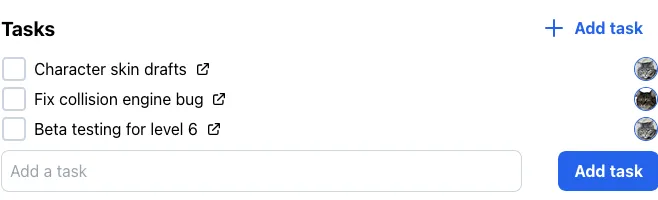
Everything you need to stay organized and deliver faster
The go-to project management tool for small teams.
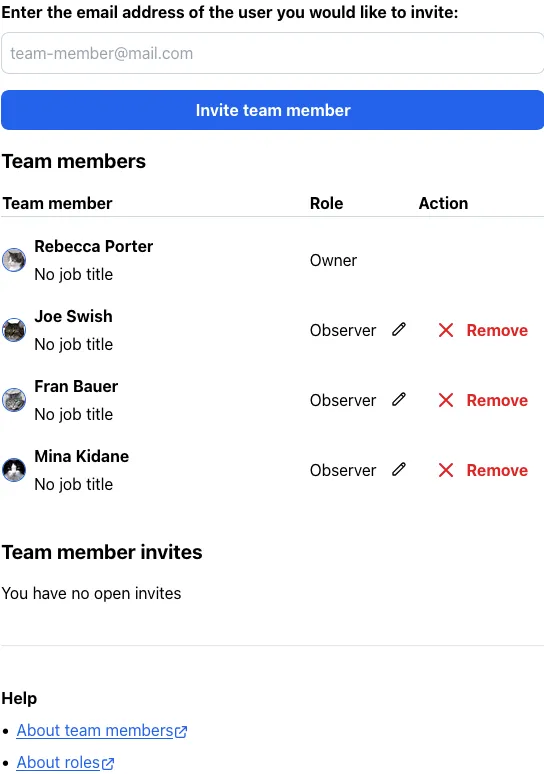
Permissions to control access
Make sure nothing important gets deleted. With permission roles - Owner, Maintainer, Contributor and Observer, you can be safe in knowing there won't be any accidental data loss.
Pricing
One plan. One price. All features.
Universal Plan
$8.00 / seat per month
What's included:
- Unlimited tasks
- Unlimited projects
- Collaborate with team members
- Role permissions
- Customize your workspace
- Archive completed projects
- Filter by assignee
- Accessible interface
Trial mode available
You can use a Projectify workspace in trial mode free of charge. The trial allows you to evaluate whether the Projectify project management software suits your needs. While your workspace is in trial mode, the following limitations will apply:
- Your workspace can have up to 2 team members
- Your workspace can hold up to 10 projects
- You can create up to 100 sections
- You can create up to 1000 tasks
We never sell your data. Ever.
Our platform fully complies with GDPR regulations, amongst others, so you can rest assured that your private information stays private.
Learn more about privacy and Projectify

Projectify is 100 % Free Software
We respect your freedom and privacy and provide you with the source code under a Free Software license. The Projectify application is licensed under the GNU Affero General Public License (AGPL) version 3.0 or later.
Learn more about Free SoftwareRun Projectify on your own computer
Here's how you can quickly spin up a demo instance on your own computer:
python -m venv projectify
projectify/bin/pip install projectify-app[demo]
projectify/bin/projectify-demo
Open http://localhost:8100 in your browser and press Log in in the top right. Use these demo credentials:
-
Email:
admin@localhost -
Password:
password
That's all you need to try Projectify.
Recent blog posts
Here's where we publish product updates and other news.
- New Projectify release 2026.7.26 July 26, 2026
- New Projectify release 2026.6.8 June 8, 2026
- Projectify on the Open Source Software Directory May 6, 2026